The forest for the link trees
When a social media platform only gives you one link, you have to utilize it the best that you can. The risk is giving too many options on a single page.


Here’s the thing about "link trees" or single page websites with links to various things: they are a fantastic tool to have in your marketing tool box. When done right.
What's so great about them? You can direct people to very specific things very quickly.
What’s so bad about them? They, quite often, lack specificity. They end up being Great Redwoods when they need to be Bonsais. Buffets instead of curated menus. "10,000 spoons when all you need is a knife." A Cheesecake Factory menu rather than a curated culinary experience.
A link tree page, whether it’s actual LinkTree, Beacons.io, LinkIn.bio, Kit (formerly ConvertKit) landing page, or a dedicated page on your existing website—it needs to be succinct.
Things to include in your link tree or page of links for social media
A link to your full website
You'd be surprised how often I go to a link in bio, looking for a website, and all I get is a link to book, or a list of links to freebies. Let me see your website, please!
A link to whatever main offer you have at the moment, whether paid or free
And keep it short. One to three offers, max. The more someone has to scroll, the less likely they are to click. Don't give them everything. Instead, reduce decision fatigue.
- Are you a published author? Put that book at the top of the list
- Are you a tarot reader or astrologer? List your best selling reading/offering
- Are you a writer? Put your best article up top
- Do you work for tips? Put that Venmo on there
- Holding an event? Put the details (when, where, how much) and link to it
A quick bio that states who you are, what you do, and who you do it for
I probably just found you and I am looking for clarity on who you are... so tell me! You have three seconds—give me the elevator pitch!
A newsletter sign up
You'd be surprised, again, how many people want to keep in touch without having to download a freebie. If that's something you offer, offer it!
...or a way to be contacted
Whether it's a contact form, or a link to the contact page, let people know how to get in touch with you directly.
Your location
If your work is offered in a specific geographic location, please state that, not only on your social media bios, but on the link page. City, state, postal code, or full address. And don't forget your hours if you have a physical location.
What to avoid for your link tree or social links page
Links to other social platforms
This is one of those "it depends on your goal things" but generally speaking I suggest not linking to other social media platforms from your links page. Unless it's at the very bottom. Let that be the last thing they have an option to click away to.
Too many links
If someone has to scroll through your list of links, they will more than likely leave before making a selection. Keep it short: 3-5 links. (I've seen link trees that had fifty links... it was incredibly difficult to navigate)
Popups
It's not the space for them! You have to remember that someone on a social app is more than likely opening your website in the app's version of a browser, not an actual browser. And they are on a tiny screen. And they just met you. Not the time.
Navigation Menus
If using your website, turn off the main menu or header navigation if your theme or platform will allow. It's unnecessary links for the page and could cause confusion. But don't stress if your platform won't let you do this.
Big images, video, and sound files
We want this page to load quickly. Keep files as small and optimized as possible here. Again, folks are generally on their phones inside of apps... it's not the space or time!
Things to consider about link pages once you have one
Prioritize your goals
A link page is a landing page that essentially breaks the rule of one page = one goal. Because you're directing people to any number of places. But you can still hold true to this if you really think it through and prioritize the links and information. Kind of like a home page of your website... only much more restrained.
Don't just add links to the page because you can. Make sure each link has a clear and considered purpose.
- Are you wanting to sell products and services? Which ones sell best to new audiences?
- Are you wanting to build your mailing list? Prioritize subscription forms and show social proof.
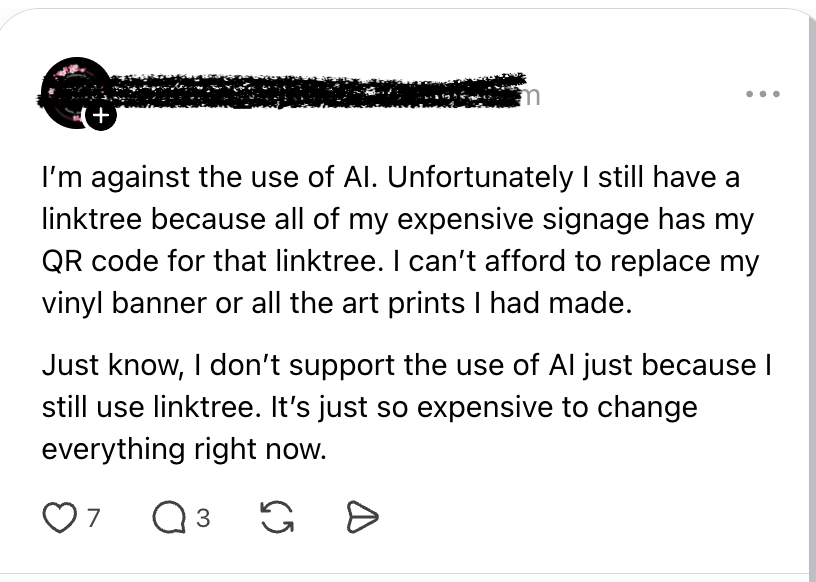
Use your domain, not theirs
If you have no website of your own, invest the money into a domain and pay whatever upgrade you need to in order to use your domain.
You may not own the links page, but you'll own the address, which is freedom for your future self. If you direct folks to a name you own:
- you can print that name on everything and not lose out in the future
- you can move away from your current platform and note lose everything
Keep it up to date
I know, it's one more thing to track and take care of, but it really needs to be done. Nothing says "don't buy from me" like a page that's filled with dead links or news articles from five years ago.
Prioritize your links
Put your links in order from most important at the top to least important at the bottom. Consider, if it's at the very bottom... do you really need it?
Design the page
Don't just put all of your links on the page and call it done. Break the page up with clear headings and design features to create clear sections of organized information. Group like links with like links.
Analytics
If you're going to have a page that gets a lot of traffic, it's worth knowing what links are working and where. This can be done with simple analytics (I like Fathom Analytics) or heat mapping (such as with Hotjar or Microsoft Clarity).
Just be aware: these pages often have higher bounce rates, especially if you're linking away to other things like Lemonsqueezy, Amazon, or your scheduler.
Tracking, Privacy, and Data
Once you start adding in analytics, or tracking the people that visit your page/website, you get into legal issues. If you have a contact form on the page, you get into legal issues. If you have embeds on your page, you get into legal issues.
Essentially, a link tree or social links page is still a website and you still have to comply with the never ending legal fuckery if you track, collect information from, or otherwise analyze the people that land there. So keep that in mind. (And use Termageddon to keep yourself up to date as the laws change.)
In summary
Whatever your goal, think about the steps someone has to take to get there once they land on your page. How can your links page eliminate steps, confusion, decision fatigue, and overwhelm?
Do that.


